
IIJS1.3 - Get APK
You'll be able to download in few seconds.
Publisher Description
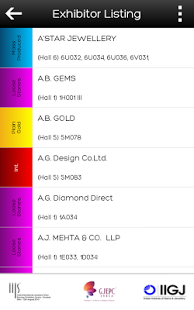
India International Jewellery Show (IIJS) 2014 scheduled to be held at Bombay Convention & Exhibition Centre, Goregaon, Mumbai, from 17th to 21st July, 2014. This year IIJS marks the 31st edition and will be spread over an approximate area of 46,000 sq. mtrs and will have more than 1,800 booths which would be occupied by an estimated 880+ exhibitors from India as well as overseas.
There’s an unprecedented response to IIJS. Decision-makers and their teams from over 8,000 companies have pre-registered. Most are repeat visitors indicating that the trade depends on IIJS as the platform to source inventory, make contacts, discover new trends and grow their business. Indeed, retailers from all around the country are looking forward to the mega show with great enthusiasm.
Expect more international visitors and delegations at IIJS 2014. India is fast becoming the ‘global jewellery hub’ and the world is rushing to be part of the action.
Main features in v1.3
1. Show update ticker
2. Global search
3. Latest show updates and requirements for visitors and exhibitors
4. Updated Floor Plan for the show
5. Exhibitor Directory and Exhibitor profile
6. Search Exhibitors by Hall, Section, and Company Name
7. Seminar and Networking Events details
8. Local city information with live weather feed
9. Improved user interface for better user experience
10. and much more...
About IIJS
The company that develops IIJS is Ezcomm. The latest version released by its developer is 1.3.
To install IIJS on your Android device, just click the green Continue To App button above to start the installation process. The app is listed on our website since 2014-07-11 and was downloaded 0 times. We have already checked if the download link is safe, however for your own protection we recommend that you scan the downloaded app with your antivirus. Your antivirus may detect the IIJS as malware as malware if the download link to com.ntpl.iijs is broken.
How to install IIJS on your Android device:
- Click on the Continue To App button on our website. This will redirect you to Google Play.
- Once the IIJS is shown in the Google Play listing of your Android device, you can start its download and installation. Tap on the Install button located below the search bar and to the right of the app icon.
- A pop-up window with the permissions required by IIJS will be shown. Click on Accept to continue the process.
- IIJS will be downloaded onto your device, displaying a progress. Once the download completes, the installation will start and you'll get a notification after the installation is finished.
Version History
version 1.3
posted on 2014-07-11
version 1.1
posted on 2012-08-22
Several fixes and updates
Disclaimer
External Download
We do not host IIJS on our servers. We did not scan it for viruses, adware, spyware or other type of malware. This app is hosted by Galad and passed their terms and conditions to be listed there. We recommend caution when installing it.
The APK Download link for IIJS is provided to you by apps112.com without any warranties, representations or guarantees of any kind, so access it at your own risk.
If you have questions regarding this particular app contact the publisher directly. For questions about the functionalities of apps112.com contact us.
